
the cabin game Settings
Clock audio, graphics, VSync, FPS, photosensitivity, and the extra gameplay tips from First Round.
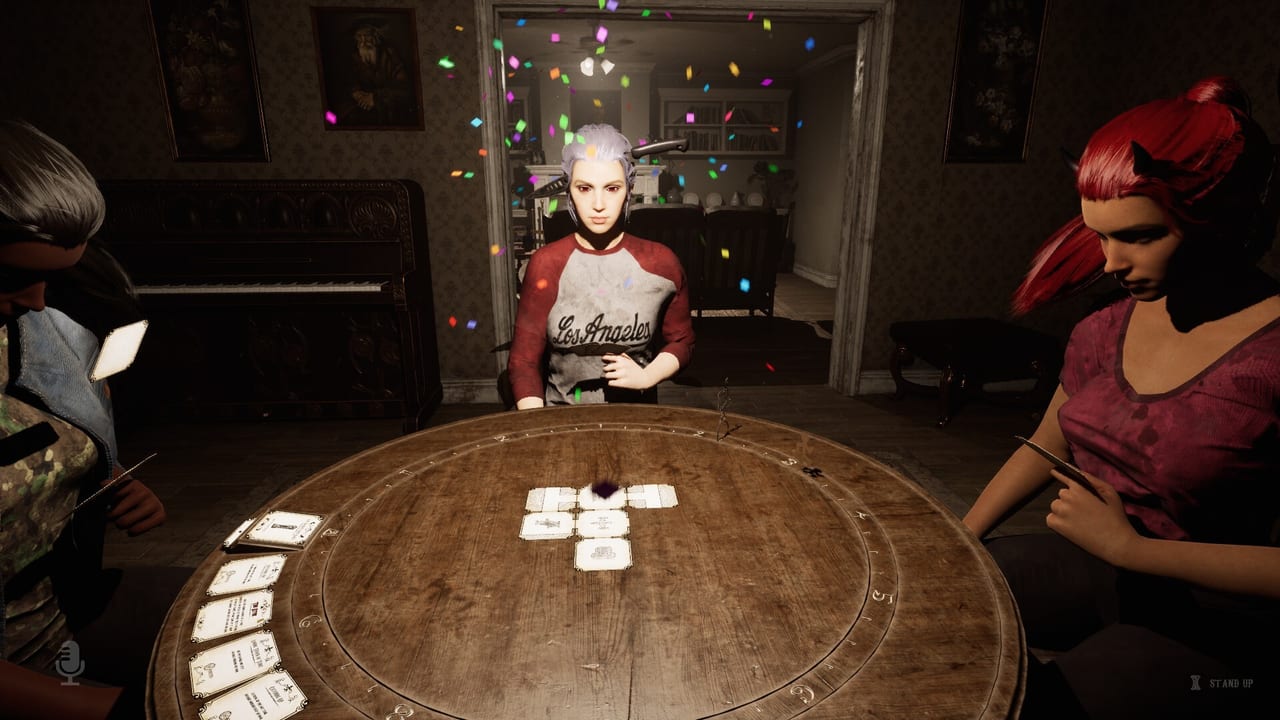
Most groups lose their first Early Access night to the mix or the frame time, not to a card. the cabin game is a first-person cabin with a ticking clock, strobing lights, chases, and a table you sit at. If the clock owns the audio bus, you will not hear a drawer. If VSync and an ignored FPS cap fight each other, a hunt feels worse than it is. This page is the recipe that matches the First Round Patch and the complaints players still have after it.
Confirm you are on that patch before you follow any slider advice below. The dedicated clock control, the FPS cap that actually applies, sitting-camera rotation, and extra gameplay tips are First Round work. If those controls are missing, update Steam and come back. For hardware floors, use system requirements. For binds, use the control layout.
Audio: master is not the clock
The ticking clock now has a separate audio slider. That is the whole point of the loudest complaint from the opening days. Set master where voices, stingers, and footsteps feel normal. Then pull the clock down until it is a pressure cue, not a metronome sitting on your skull. If you only touch master, you will bury monster tells and party callouts together.
Suggested order when you sit down:
- Master at a level you could live with if the clock were silent.
- Clock slider below that, still audible in a quiet lobby.
- Voice chat in your overlay or Discord client, not as a substitute for game voices.
- A short walk through a hallway while someone else talks. If you lose the tick and the wood creak, the clock is too low or master is too low. If you lose the creak but keep the tick, the clock is still too high.
Do not mute the clock entirely unless your table has a visible timer they trust. Time pressure is part of the loop. You want it polite.
Graphics, Low preset, and VSync
Player reports during Early Access still point to Low graphics with VSync off. That combination is about frame time, not about making the cabin ugly on purpose. Strobe-heavy horror plus a 970-class card plus online co-op is a stutter machine if you chase cinematic presets. Start Low. If you have the recommended GTX 3060 and 12 GB RAM, you can step up one notch after a clean lobby overlay, not during a forest chase.
VSync off is the Early Access preference because tearing is easier to live with than a hitch when an attic stalker commits. If tearing makes you nauseous, try VSync on with a real FPS cap (see below) and accept some added input delay. There is no store-board “correct” toggle; there is the toggle that keeps a sprint readable.
Max FPS now applies
Before First Round, the max FPS setting could lie. After First Round, set a cap your GPU can hold and verify it with an overlay in the lobby for a full minute. A common pattern is 60 on minimum-spec machines and 120 only if the overlay stays honest in the most expensive room you have unlocked. Do not cap at 300 and call it done. An uncapped 970 will sound like a leaf blower and still drop in a chase.
If the overlay disagrees with the in-game number, the old bug may be back. Report that. Do not “fix” it by enabling every limiter at once (in-game cap + driver cap + VSync + an overlay limiter) unless you like debugging which one won.
Photosensitivity and strobes
The Steam page warns that the cabin game contains strobing and flashing lights that can cause seizures in a small percentage of people. That is not flavour text. If anyone at the table has photosensitivity, say so before the first shuffle. Sit farther from the screen, lower brightness in Windows, and avoid stacking extra RGB on the desk. This wiki will not invent a hidden “disable all strobes” checkbox that the store does not describe. If a later QoL patch adds one, it will belong in patch notes, not in a rumour.
Occasional blood and gore is a separate mature-content note. It is not a brightness setting. If gore is the problem, this is the wrong game, not the wrong slider.
Gameplay tips overlay
First Round added more on-screen gameplay tips. Leave them enabled until popcorn balls, droppable totems, attic sprints, and sitting-camera looks are automatic. The in-game clue tutorial is still a weak teacher; tips are the patch’s attempt to talk while you play. They will not log object-dependent evidence for you. That is the clue notebook. They will not replace the beginner walkthrough.
Turn tips off only when they cover callouts. A tip in the middle of a neighbour event is worse than silence if your caller is already speaking. Co-op tables can assign one person to keep tips on for teaching nights and off for try-hard nights.
Sitting camera rotation
You can rotate the camera while sitting. Test it every patch: sit at the table, look to the doorway, look back at the cards, stand. If rotation is frozen, you are on an old build or a new regression. This control is why a sitting player can still spot a chase tell without leaping up and scattering the hand. Combine it with player roles so the sitter is the caller, not the person who never looks up.
A practical recipe
Minimum-spec or hitchy sessions: Low graphics, VSync off, FPS cap 60, master normal, clock below master, tips on, brightness at a level that does not blow out strobes.
Recommended-spec, teaching night: Low or one step above, VSync off unless tearing bothers you, FPS cap 60 or 120 if honest, clock polite, tips on, sitting rotation verified.
Recommended-spec, try-hard night: Same graphics until you prove a higher preset does not hitch in the forest, tips off if they talk over calls, clock still separate, FPS still capped.
None of this prevents a neighbour crash. None of this teaches which cabinet holds a clue. None of this changes $11.99 USD, the 6–8 month Early Access goal, or the English-only interface. It just stops the menu from being the real monster. When the mix is right, go back to cards, layout, and the Updates Hub so you know whether chase speed was already turned down.
Frequently Asked Questions
Quick answers about cards, clues, monsters, and escaping the cabin.
Where is the clock volume control?
After the First Round Patch it is a separate audio slider, not the master fader. Lower the clock until you can hear footsteps and tells again.
Should I use VSync?
Player reports during Early Access prefer VSync off with a real FPS cap, especially on Low. Turn VSync on only if tearing is worse for you than a hitch.
Can I disable strobing lights?
The store warns about strobes and does not describe a full disable toggle. Reduce brightness and warn photosensitive players before you shuffle.
Why did my FPS cap do nothing?
That was a known issue. First Round makes the max FPS setting apply. Verify with an overlay in the lobby. If it still lies, report it.
Do I need these settings for solo?
Yes. Solo still has a clock, strobes, and chases. Solo also tempts time-skip spam when a hitch or a loud tick makes a puzzle feel broken. Fix the menu first.